
Work & projects
A simple way to track client work from start to finish
A new request arrives. You discuss the details. Then the messages pile up. Give the work one place to live before you lose track of the next step.
Start here
Create one record for each piece of work. Connect the client, define what finished means, choose a clear stage and write down the next action.
Give each job a clear name and a home
“Maya — Studio refresh” is more useful than “New project.” A name that includes the person or the outcome makes a job easier to recognize when you have several things in progress.
Start with a short brief: what the client wants, what you agreed to provide and what needs to happen next. Connect the person to the work so that you can find the relationship without searching for a phone number in an old message.
This works for a flower order, a creative project, a property deal or a restaurant event. The details differ, but each has a person, an outcome and decisions to keep track of. You don’t need to design a complicated process before the first request comes in.
Use stages that mean something
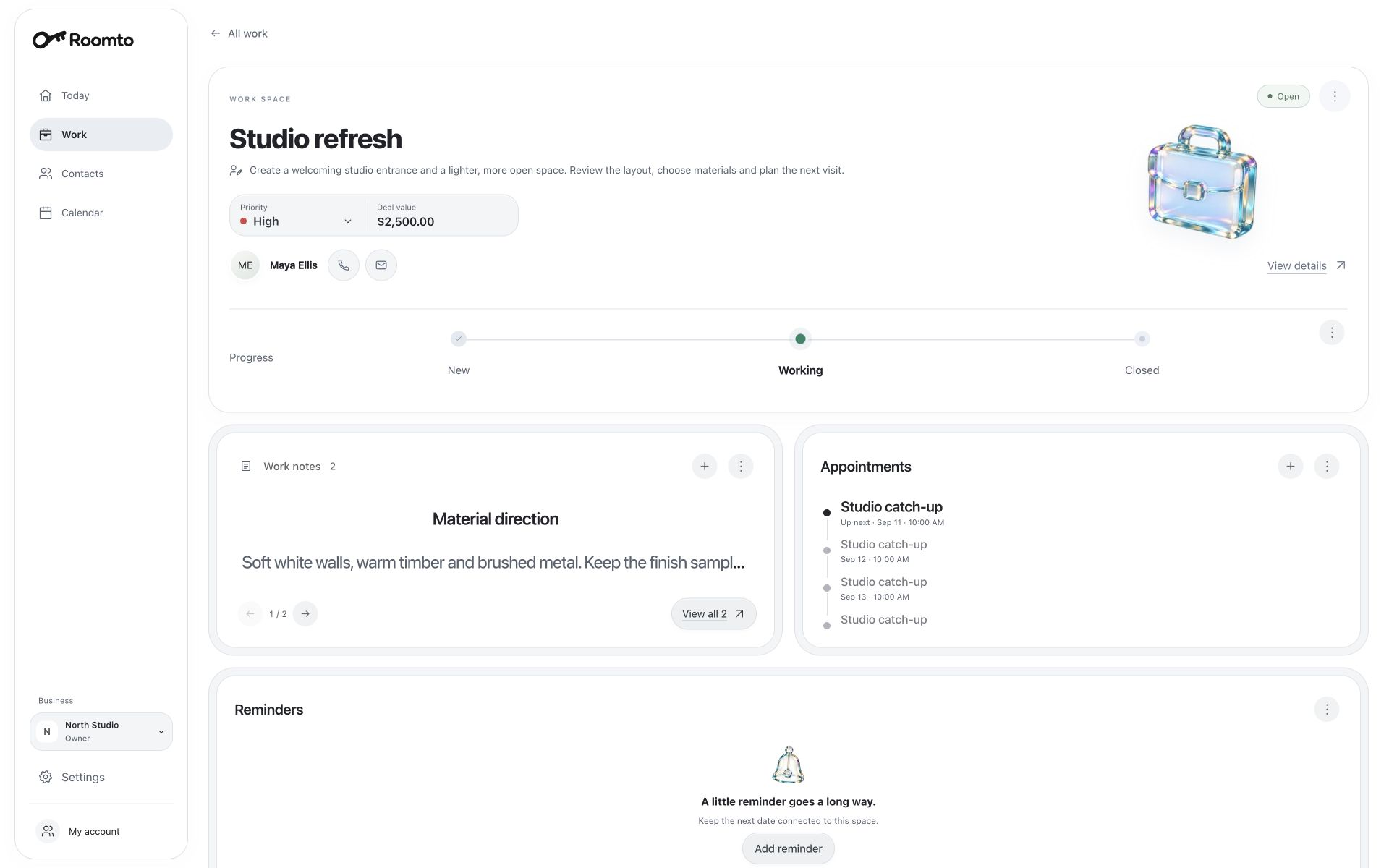
A stage should tell you where a piece of work stands. Start with a small number you can explain without a manual. The Roomto example uses New, Working and Closed.
Decide what moves an item from one stage to the next. Is it a confirmed brief, an approval or a handover? Without a shared meaning, “Working” can describe everything from a first conversation to a nearly finished project.
Closed doesn’t always mean won or paid. If a client cancels or a request goes no further, note the outcome before closing it. That keeps the stage useful without rewriting the history of what happened.
- New: a request to understand and decide on.
- Working: an agreed piece of work that is in progress.
- Closed: the work has ended, with its outcome recorded.
A stage needs a next action
“Working” tells you the position. “Bring two entrance layouts to Friday’s meeting” tells you what to do. Keep both. A project can sit in the right stage for weeks while nobody is sure what should happen next.
Use a reminder for a task you need to return to and an appointment for a conversation with a set time. If you’re waiting for someone else, write down what you need from them and when a check-in would make sense.
In Roomto, work notes, reminders and appointments give that next step a place alongside the job. A high priority can help identify something that needs attention, but it doesn’t replace a date or a clear action.
Keep decisions with the work
When a client changes the brief, record the new agreement where you will look for it. Include what changed and what it affects. “Use the lighter material; review the revised entrance layout on Friday” is more useful than “Client feedback.”
For the Studio refresh example, material choices belong in work notes. Maya’s broader preferences can stay in her contact record. The connection lets you follow the job without losing the person behind it.
Roomto’s preview can also hold a value for the work. Treat that as context for the opportunity or project. A recorded value does not mean money has been collected; payment processing, invoicing and accounting are different jobs.
Review what is open, then close the loop
Set aside a short review once a week. Read through the open work and ask whether each item has a useful next step. Look especially for the jobs where the last note says you are waiting for an answer.
When a job ends, capture the result before closing it. Was the delivery accepted? Was the request cancelled? Is there a separate follow-up worth scheduling? Keep those answers specific to what actually happened.
A tidy list isn’t the goal on its own. You want to open your workspace and know which conversation to have, which promise to keep and which job is ready to move forward.
 Take a closer look
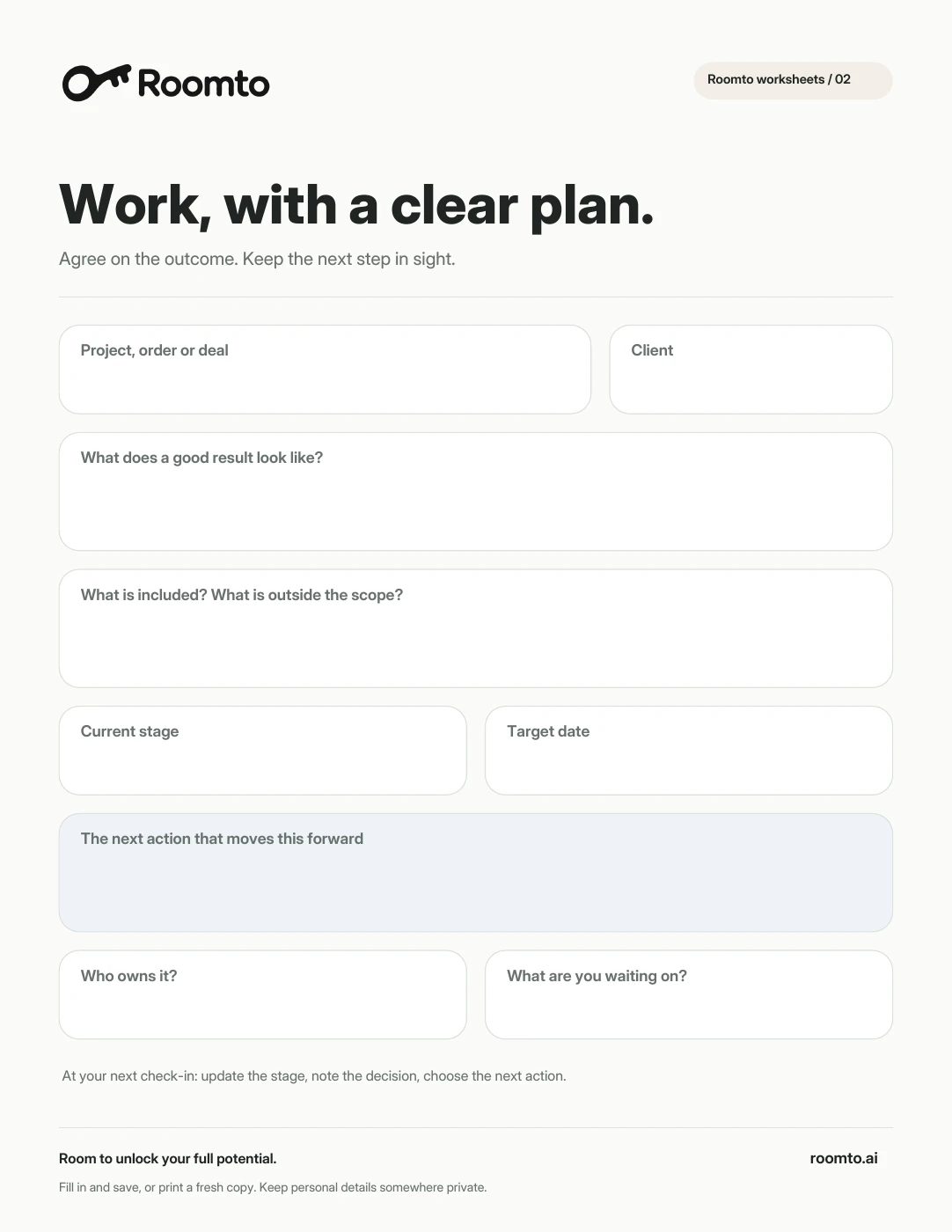
Free worksheet Fillable PDF · 1 page
Work brief, made yours.
Agree on the outcome and give every project a clear next step.
Download a copy to fill in and save, or print it and put pen to paper.
Download PDF Prefer plain text?A couple of useful details.
How many project stages do I need?
Start with a few stages whose meaning is clear. Add another only when it represents a real decision or handover that you otherwise lose track of.
Can I use the same approach for orders and deals?
Yes. Give each item a person, an outcome, a stage and a next step. Adapt the meaning of the stages to the work. This approach does not replace specialist inventory, payment or accounting tools.