
Calendar & appointments
How to plan your week around your clients
A calendar full of meetings can still leave you wondering when the work will happen. Plan for the time around each appointment, too.
Start here
Put fixed commitments in first. Allow time to prepare, travel and follow through. Then choose the work that fits the week you actually have.
Start with the commitments you already made
Look at your week before you add another appointment. Include client meetings, personal commitments and anything else that makes you unavailable. An empty square isn’t free time if there is already a promise in another calendar.
For each appointment, record the person, purpose, start time and expected duration. Add the location when it matters. “Review Maya’s entrance layouts” gives you a much clearer starting point than “Meeting.”
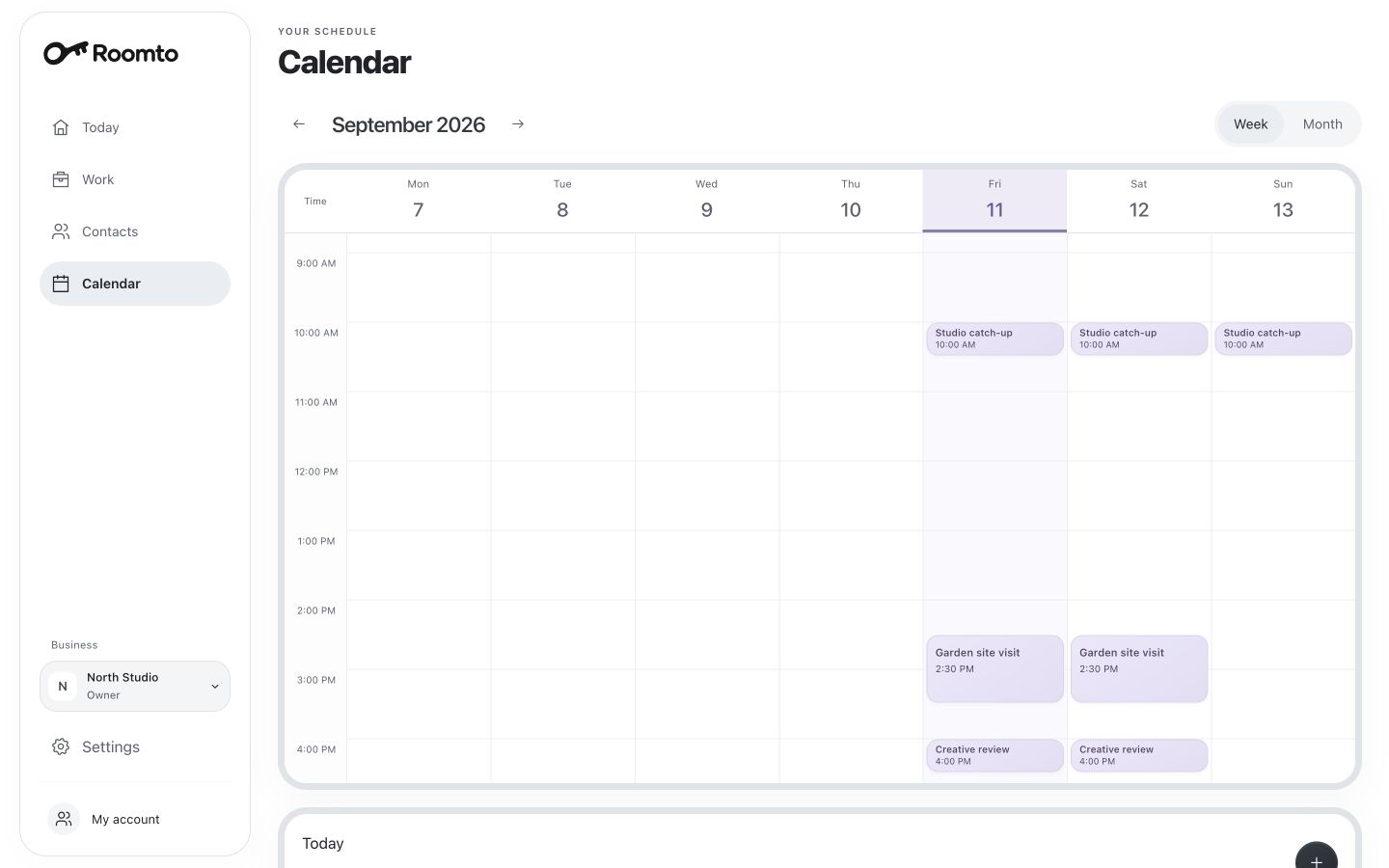
Roomto’s preview has weekly and monthly views. Use the week to see the shape of your days and the month to look further ahead. External calendar sync is planned, so check your other calendar yourself before making a commitment.
Plan what happens before and after
The appointment itself is only part of the time it needs. A site visit might involve a journey. A review might need a prepared draft. A conversation might end with notes and something you promised to send.
Look at the sample day: a studio catch-up at 10, a site visit at 2:30 and a creative review at 4. Those times alone don’t tell you whether the day works. You also need the visit’s duration, travel time and enough space to get ready for the review.
Leave a buffer that fits the actual job. There is no useful universal number for a ten-minute call, a salon appointment and a visit across town. If a commitment won’t fit, change the plan before another person is depending on it.
Separate meetings from things to remember
An appointment reserves time for something to happen. A reminder brings a task back to your attention. “Meet Maya at 10” and “Send Maya the layouts before we meet” are connected, but they serve different purposes.
Put the agreed conversation in the calendar. Give the preparation a clear next step and a time to return to it. A reminder doesn’t complete the work or make room for it; you still need to decide when you will do it.
In Roomto, Today brings appointments and reminders into one place. Before you start the day, review both: who you are meeting and what you need to take care of around those meetings.
Choose what fits, not everything that is open
Once the fixed commitments are visible, look at your open work. Which promises are due this week? Which actions would move an important job forward? Choose a realistic set rather than treating every open project as something to finish immediately.
A short gap may be enough to confirm an appointment or write a note. It may not be enough to prepare a thoughtful proposal. Match the task to the time and attention it needs.
Keep one useful next action with each active job. If this week cannot accommodate it, make a deliberate decision about its timing. That is more honest than leaving everything marked urgent and hoping a gap appears.
When plans change, close the loop with people
Moving a block on your calendar doesn’t tell the other person. If you need to reschedule, contact them, agree on the new time and then update the appointment. Check whether the preparation, travel or follow-up needs to move too.
Roomto is developing an assistant that could help coordinate these changes with your permission. That is a future capability. In the current preview, the calendar is a place to organize the plan; communication and coordination remain yours.
At the end of the week, look at what made the days feel crowded. Was it too many meetings, not enough preparation time or promises without a clear next step? Adjust next week around the answer. A useful calendar reflects how you actually work.
 Take a closer look
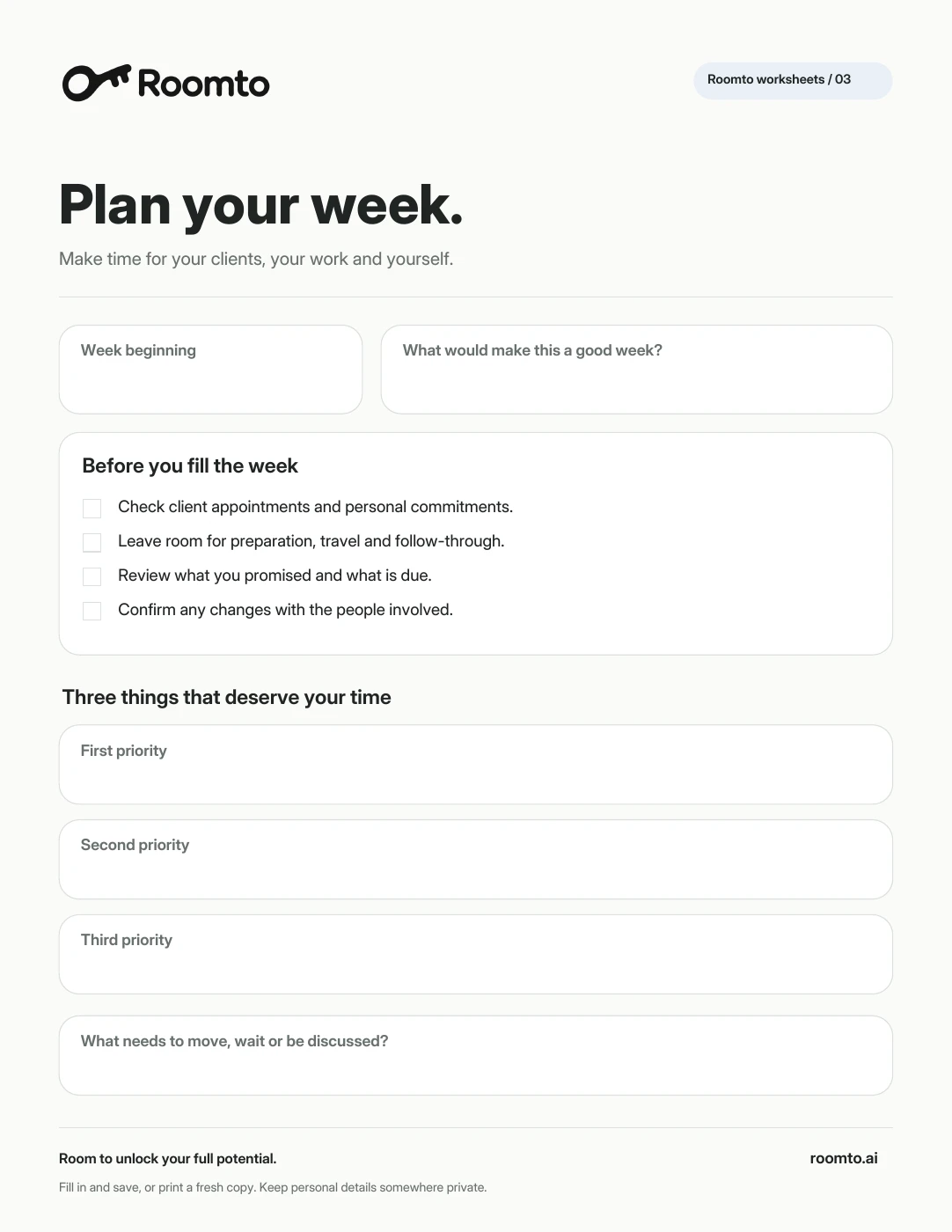
Free worksheet Fillable PDF · 1 page
Weekly planner, made yours.
Make room for appointments, preparation and your priorities.
Download a copy to fill in and save, or print it and put pen to paper.
Download PDF Prefer plain text?A couple of useful details.
Should I plan in week view or month view?
Use week view to judge how appointments and work fit into your days. Use month view to spot commitments further ahead. Switch between them when the question changes.
Does Roomto sync with my phone calendar?
External calendar sync and import/export are planned and are not available in the current preview. Check your existing calendar manually before adding commitments.